

Adding a Response to Your Workflow
To add a response to your workflow in the ServFlow dashboard:- Click the + button below an existing node in the workflow canvas
- Select Response from the node type options
- The response node will be added to your workflow
Response Configuration
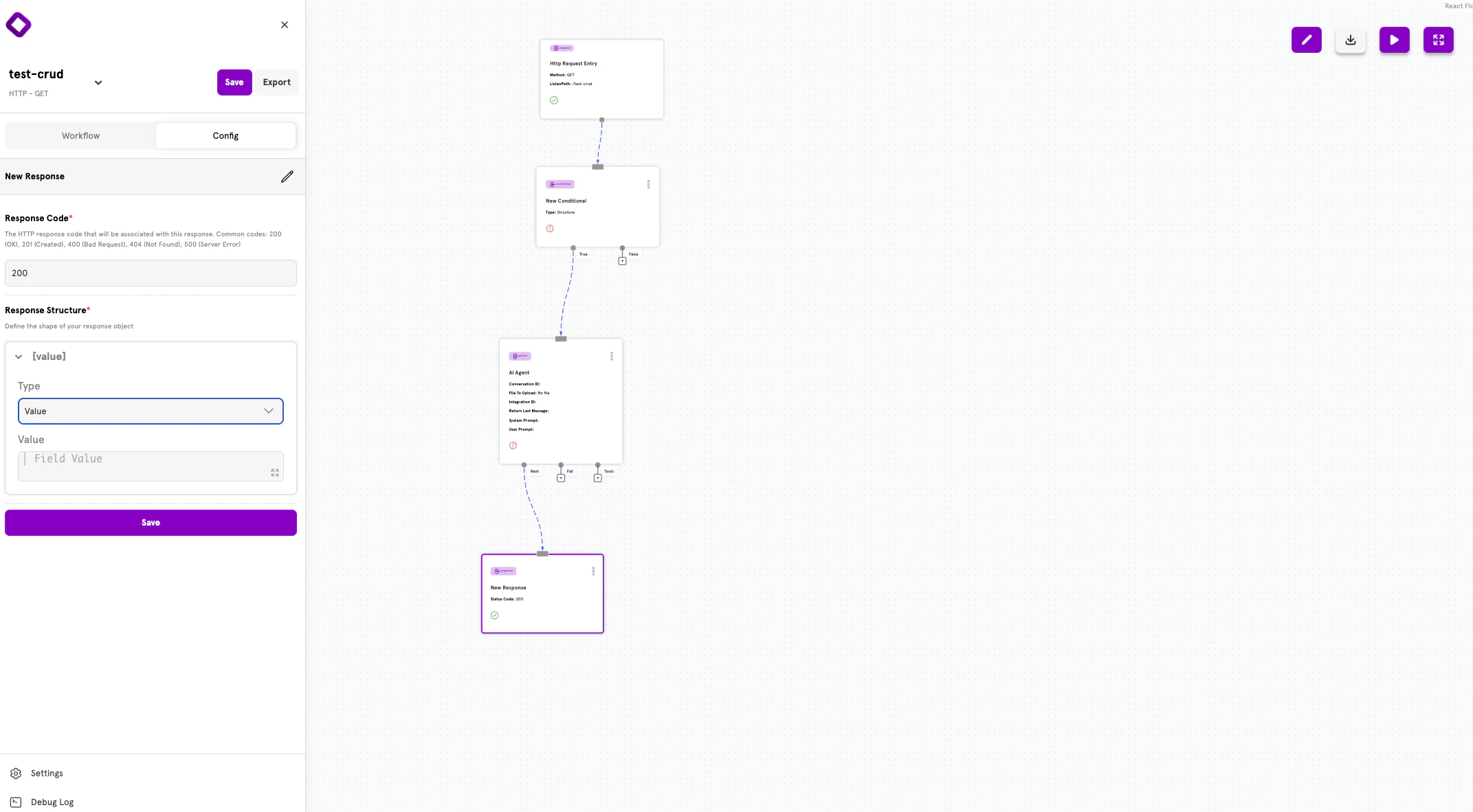
Selecting a response node opens the configuration panel on the left side of the screen. The panel contains two main sections:- Response Code — The HTTP status code to return
- Response Structure — The shape of the JSON response body
Response Code
The Response Code field specifies the HTTP status code that will be associated with this response. Common codes include:200(OK) — Successful request201(Created) — Resource successfully created400(Bad Request) — Validation or input errors404(Not Found) — Resource doesn’t exist500(Server Error) — Unexpected server failure
Response Structure
The Response Structure section lets you define the shape of your response object using a visual builder. You can create flat objects with simple key-value pairs or deeply nested structures.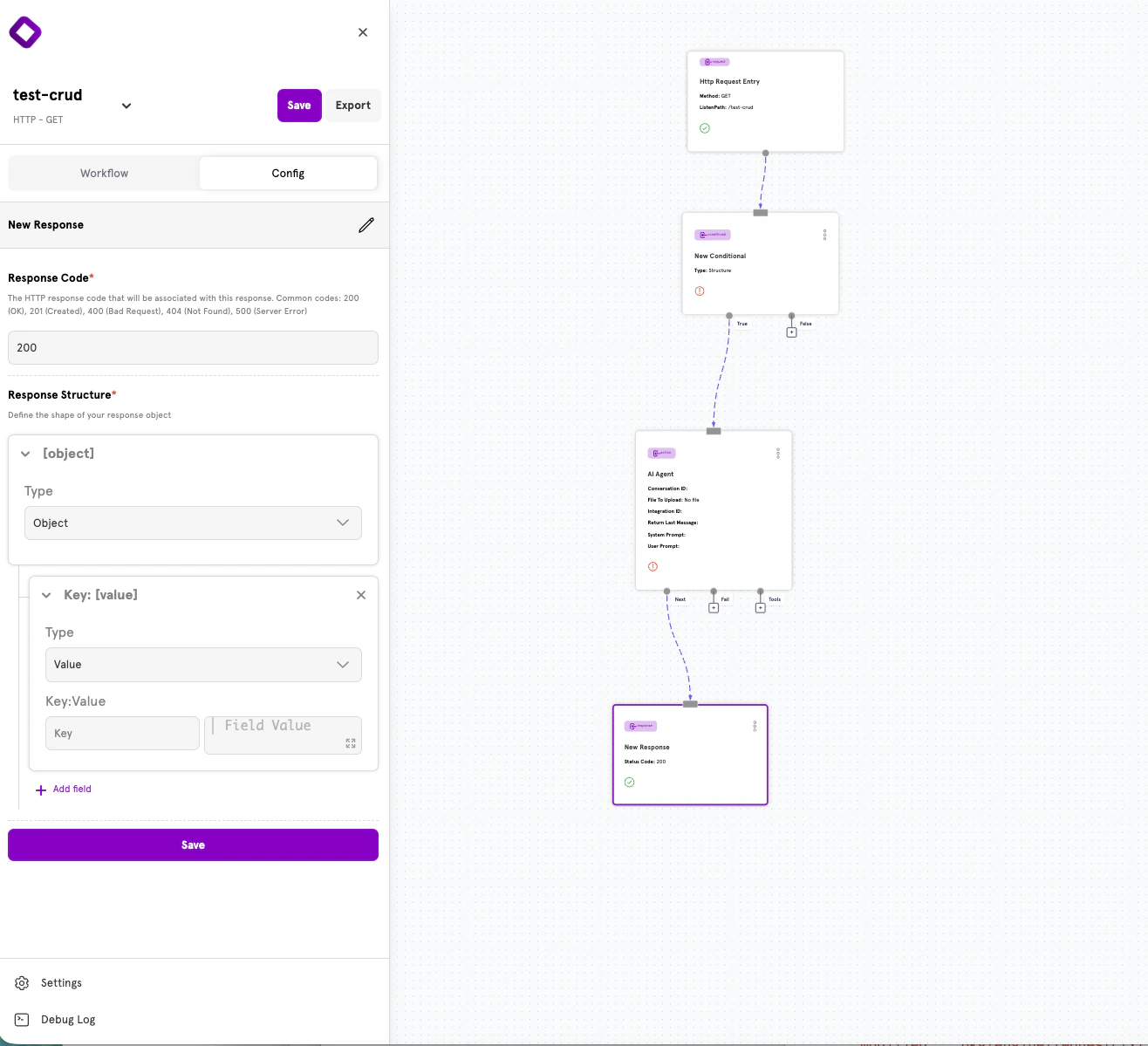
Field Types
Each field in your response structure has a Type that determines how it behaves:Adding Fields
Click + Add field to add a new field to your response structure. Each field requires:- Key — The JSON property name
- Type — Either Object (for nesting) or Value (for leaf values)
- Value (for Value type) — The content to return, which can include dynamic template expressions
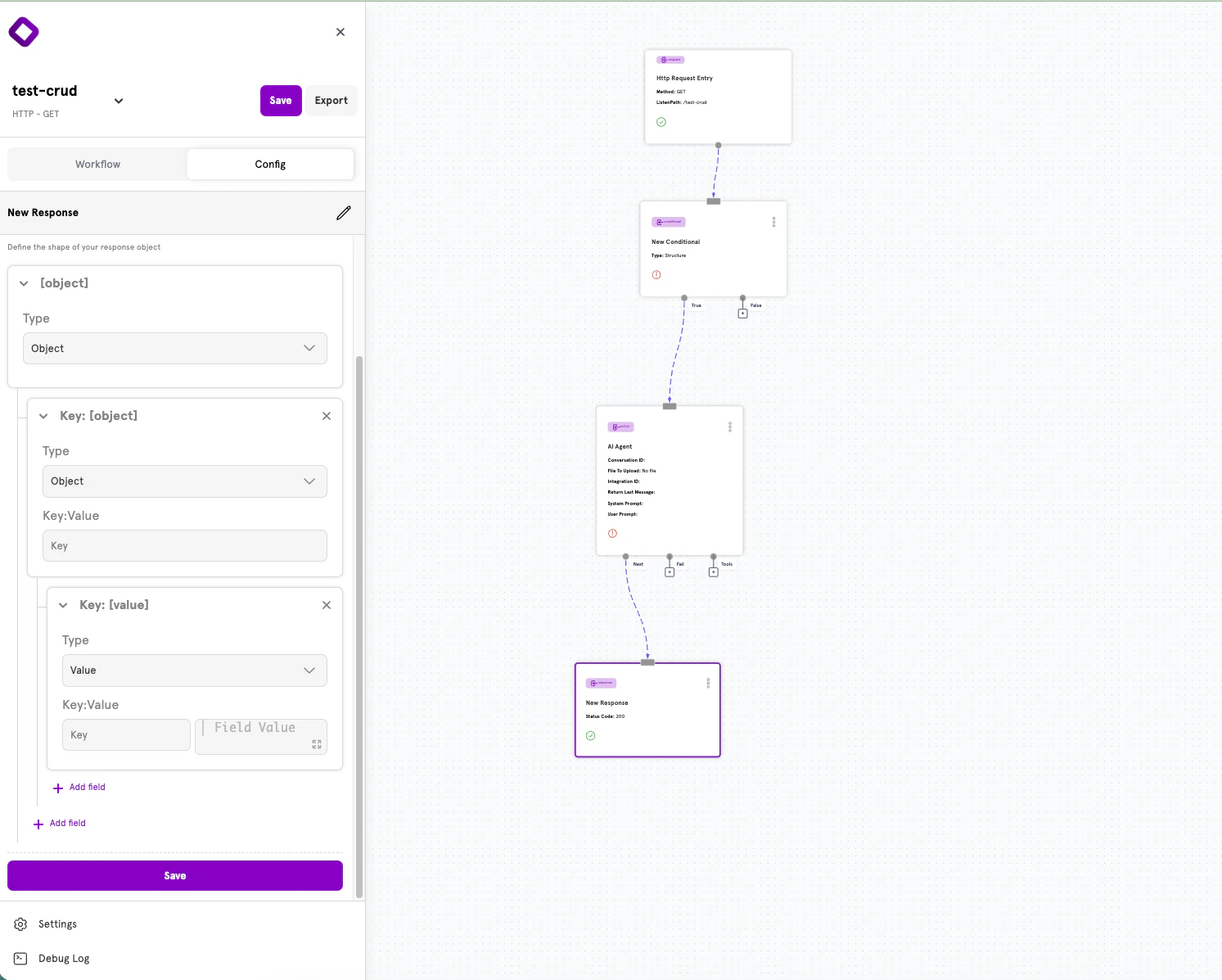
Creating Nested Objects
To create nested JSON structures:- Add a field and set its Type to Object
- Click the expand arrow to reveal the nested field editor
- Add child fields inside the object
- Continue nesting as deeply as needed
HTTP Status Codes
Choosing the right HTTP status code helps API consumers understand the result of their request. Here are the most common codes and when to use them:Success Codes (2xx)
Client Error Codes (4xx)
Server Error Codes (5xx)
Advanced: YAML Configuration
ServFlow APIs can also be defined using YAML configuration files. This approach is useful for version control, CI/CD pipelines, or programmatic configuration generation.Response Structure in YAML
Every response follows this structure:Common Fields
Field Definition
Each field in thefields map can have:
A field should have either
value or fields, not both. Use value for leaf values and fields for nested objects.Nested Objects in YAML
Create nested JSON structures by usingfields instead of value:
Type Coercion
Values inresponseObject are automatically converted to appropriate JSON types:
Accessing Data in Responses
Responses can include dynamic content from anywhere in your workflow using template syntax.Action Results
Access results from previous actions using the action ID with a dot prefix:Request Parameters
Access original request data with theparam function:
Validation Errors
When using validation functions in conditionals, errors are collected in the.errors variable:
Error Information
When an action fails and routes to a response via itsfail path, access error details with .error:
Common Response Patterns
Success Response with Data
Resource Created Response
Validation Error Response
Not Found Response
Unauthorized Response
Next Steps
Actions
Learn about actions — the building blocks of workflows.
Conditionals
Add branching logic to your workflows.
Dynamic Content
Use template syntax to create dynamic values.
Configuration Reference
See the complete ServFlow configuration options.