

Adding a Conditional to Your Workflow
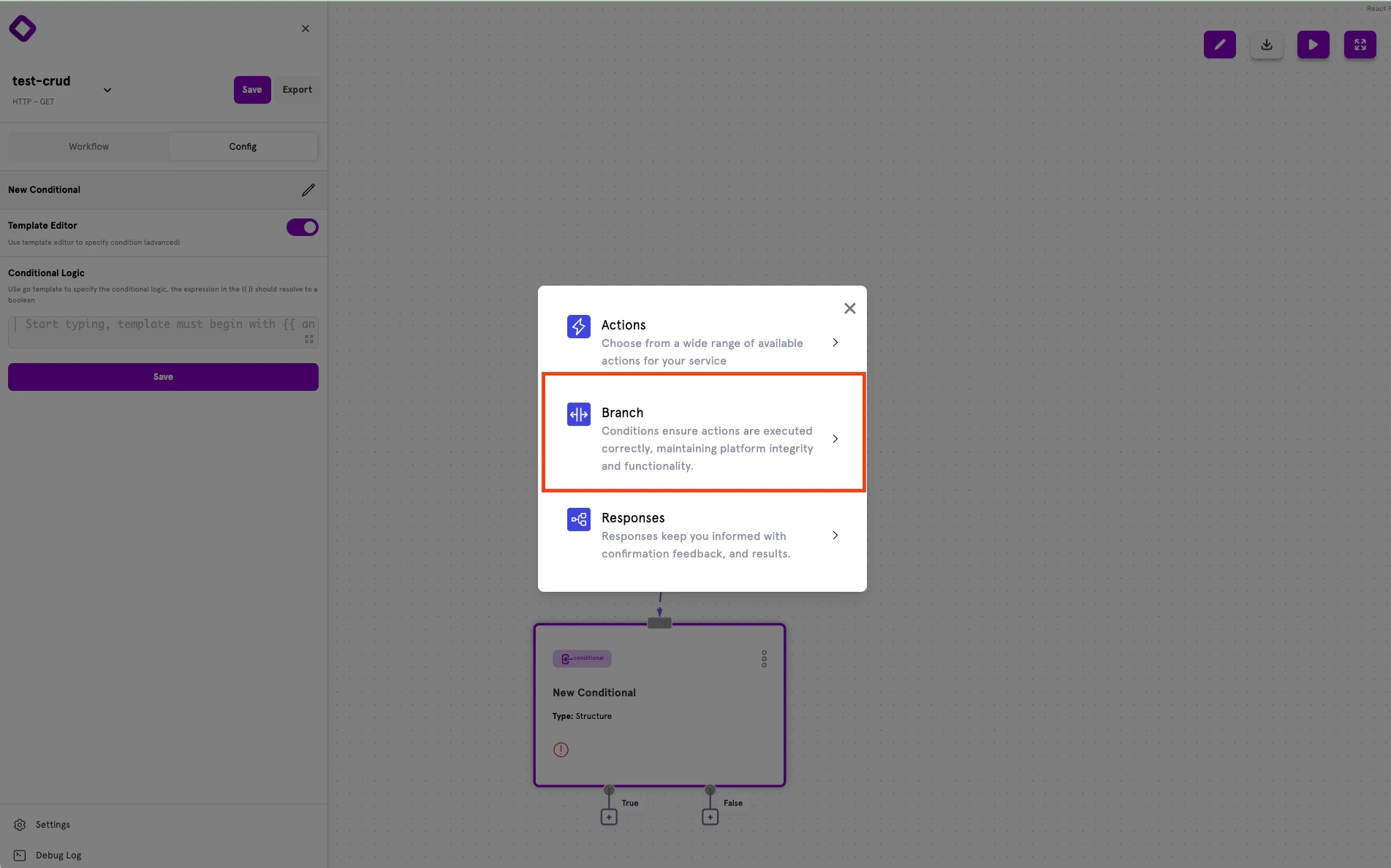
To add a conditional to your workflow in the ServFlow dashboard:- Click the + button below an existing node in the workflow canvas
- Select Branch from the node type options
- The conditional node will be added with True and False output handles
Conditional Outputs
Every conditional node has two output handles that determine the flow based on evaluation:- True — The path taken when the condition evaluates to
true - False — The path taken when the condition evaluates to
false
Configuring Conditions
Selecting a conditional node opens the configuration panel on the left side of the screen. ServFlow offers two configuration modes:- Structured Mode (Default) — Form-based interface for building conditions visually
- Template Editor (Advanced) — Write Go template expressions directly for complex logic
Structured Mode
Structured mode provides a form-based interface for building conditions without writing template expressions manually.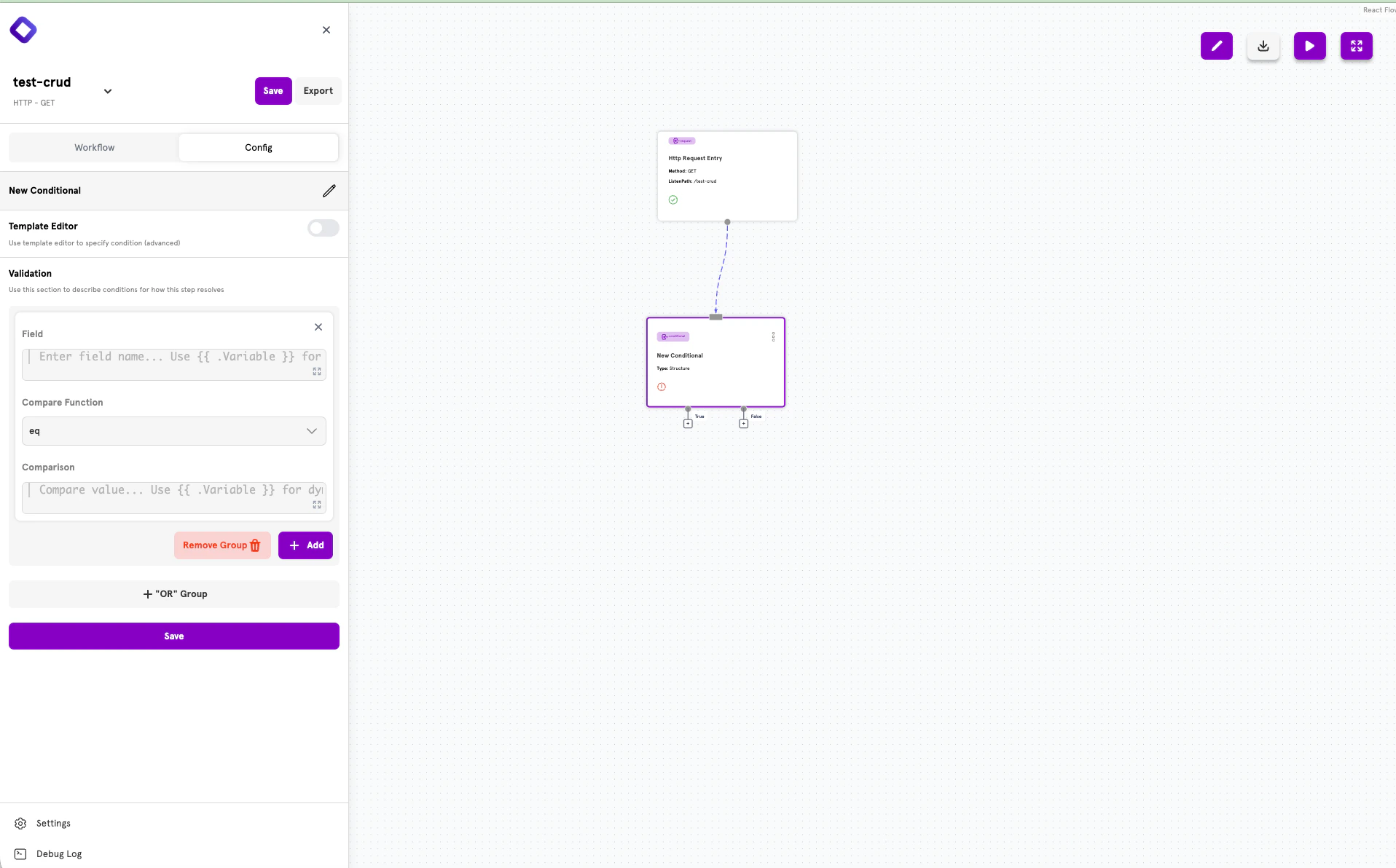
- Field — The value to evaluate (use
{{ .Variable }}for dynamic values) - Compare Function — The comparison operation (eq, ne, gt, lt, etc.)
- Comparison — The value to compare against
Combining Conditions with AND
To require multiple conditions to all be true, add them to the same group using the + Add button.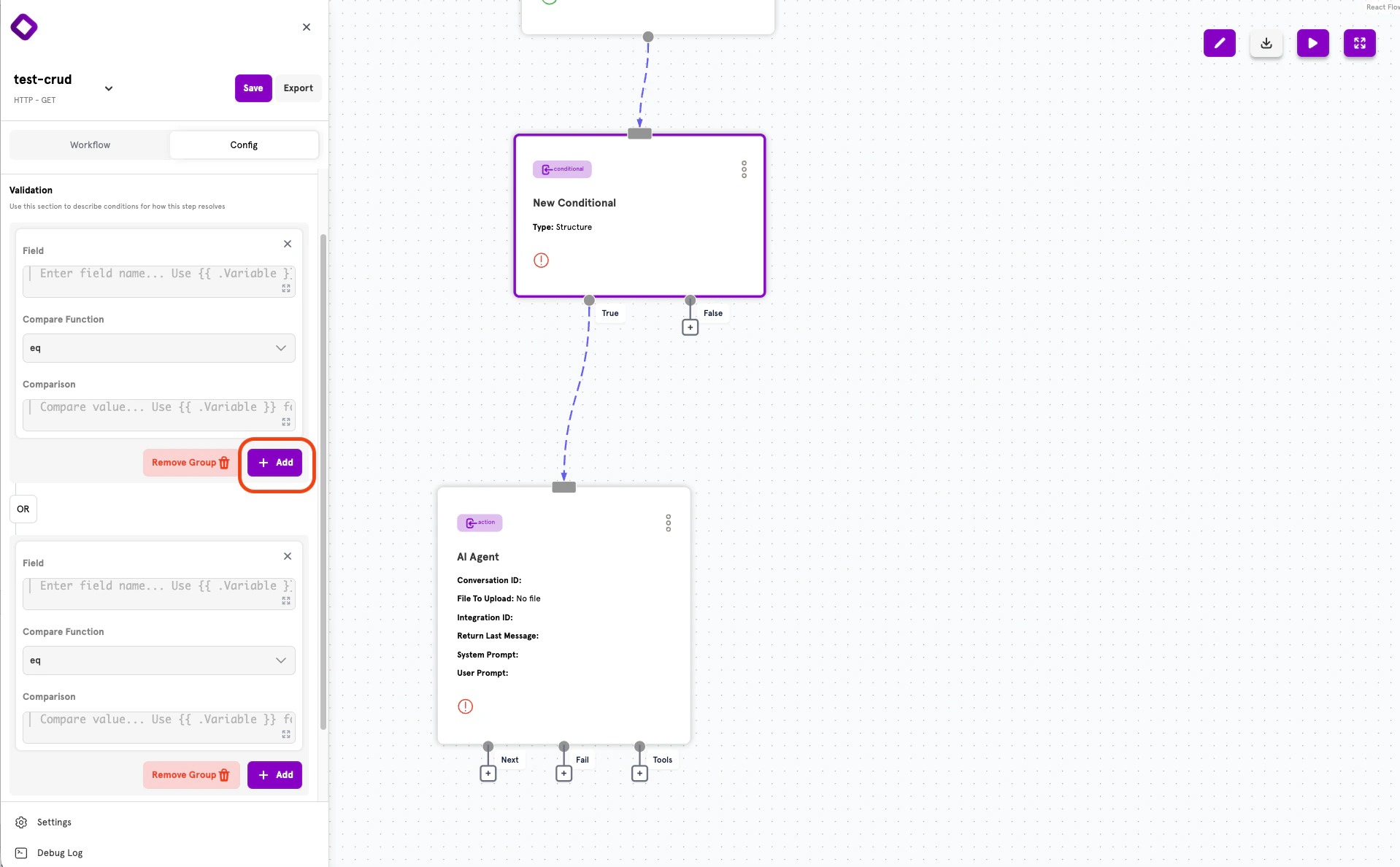
Creating OR Groups
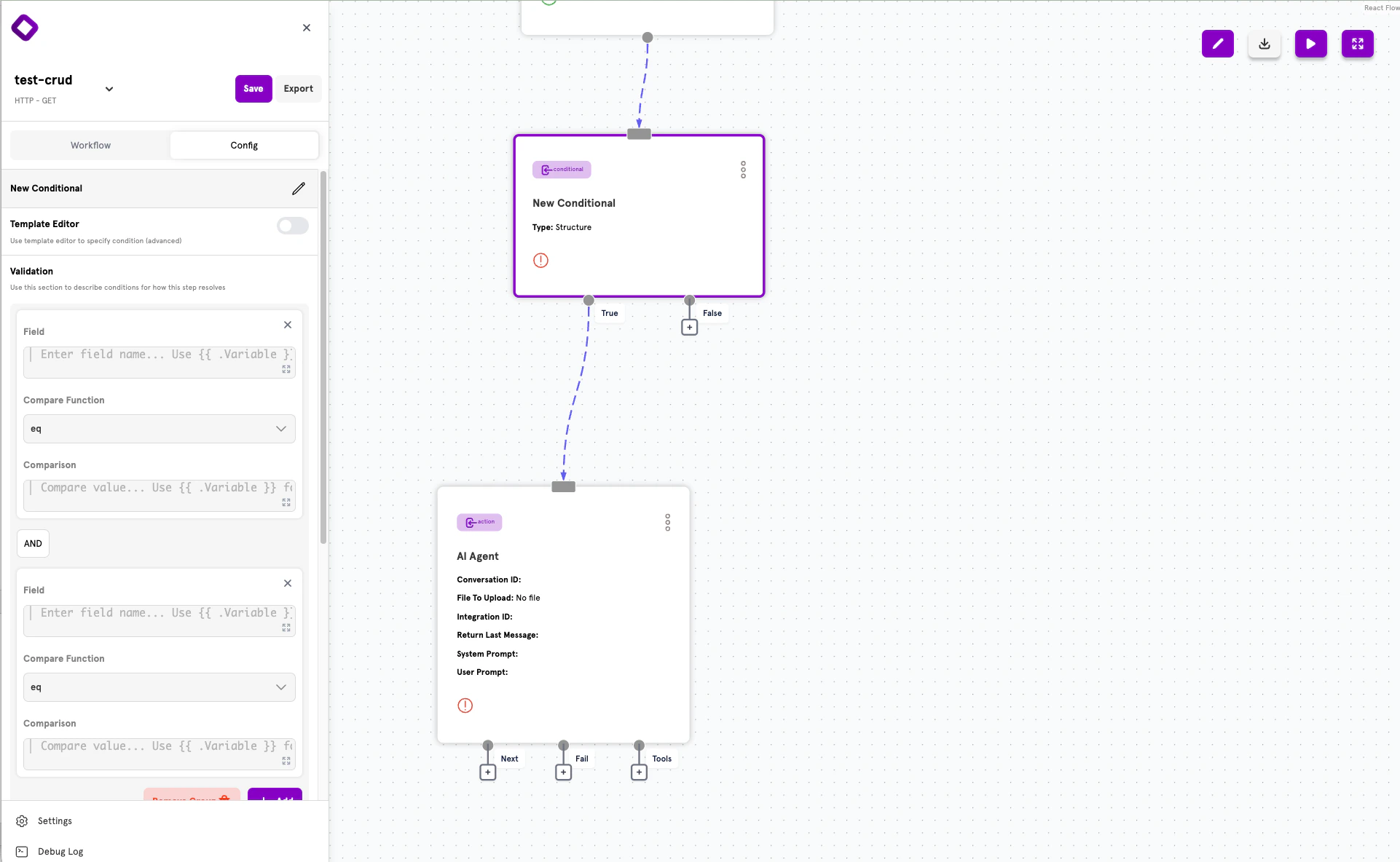
To create alternative conditions where only one needs to be true, click + “OR” Group to add a new condition group. Groups are connected by OR logic — the overall conditional evaluates to true if any group evaluates to true.How the Logic Works
ServFlow uses Disjunctive Normal Form (DNF) for combining conditions:- Within a group: Conditions are combined with AND (all must be true)
- Between groups: Groups are combined with OR (any can be true)
- Group 1: Condition A AND Condition B
- Group 2: Condition C AND Condition D
(A AND B) OR (C AND D)
This means the conditional evaluates to true if either:
- Both A and B are true, OR
- Both C and D are true
Validation Functions
These functions are available for comparing and validating values in your conditions.Advanced: Template Editor
For complex expressions that can’t be built with Structured Mode, toggle Template Editor to write Go template expressions directly.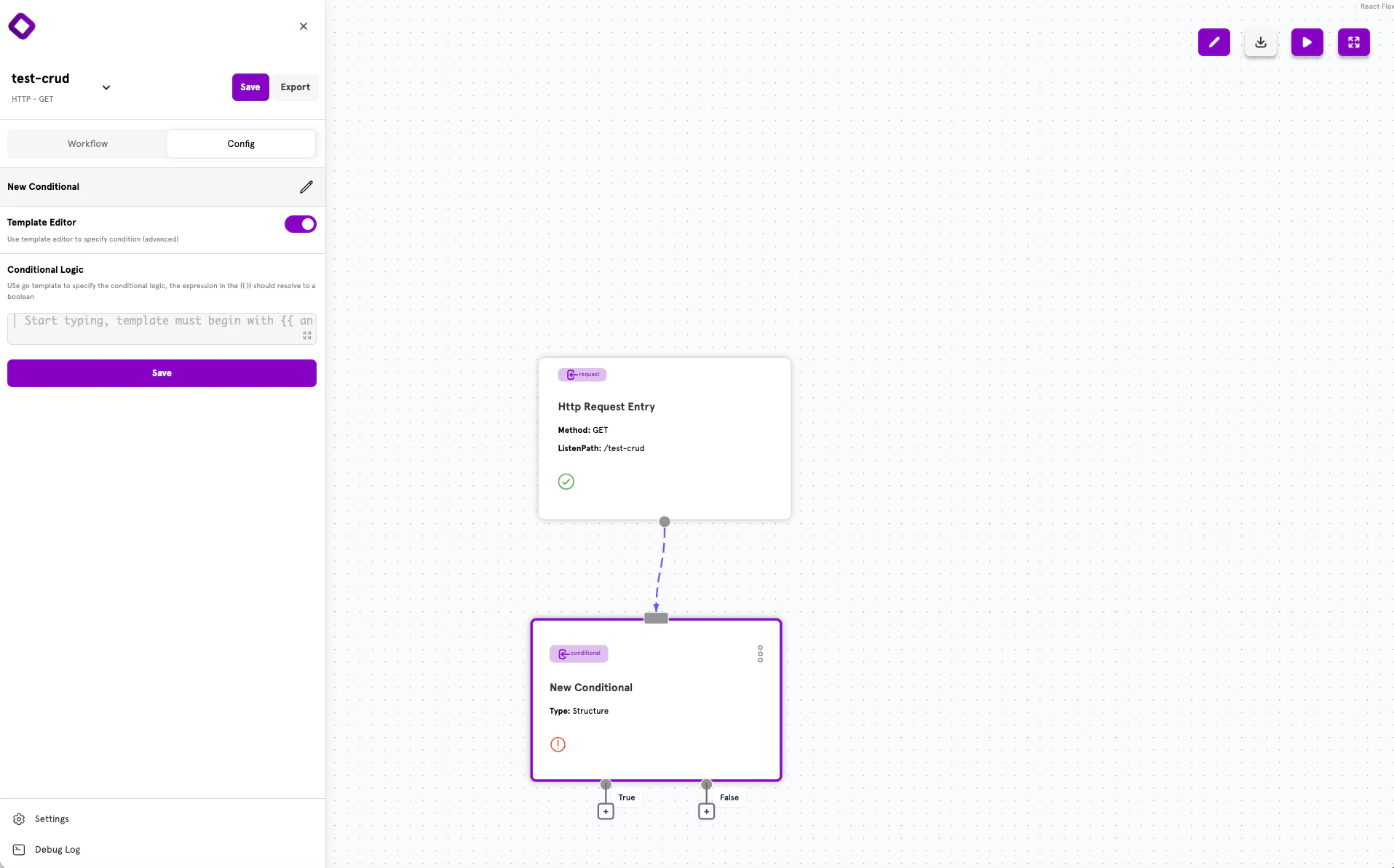
{{ }} template delimiters.
When to Use Template Editor
- Nested conditional logic
- Complex AND/OR combinations beyond what Structured Mode supports
- Custom validation functions
- Mathematical expressions
Template Expression Examples
Advanced: YAML Configuration
ServFlow APIs can also be defined using YAML configuration files. This approach is useful for version control, CI/CD pipelines, or programmatic configuration generation.Conditional Structure
Every conditional follows this structure in YAML:Common Fields
*Required for
template type; structure is required for structured type.
Routing Syntax
TheonTrue and onFalse fields use the standard step reference syntax:
action.action_id— Route to an actionconditional.conditional_id— Route to another conditional
Template Conditionals
Template conditionals use Go template expressions:Structured Conditionals
Structured conditionals use a visual-friendly format with nested arrays for AND/OR logic:- Items in the same inner array are combined with AND
- Inner arrays are combined with OR
Structured Condition Item Fields
Common YAML Patterns
Input Validation:Validation Error Collection
When validation functions likenotempty, email, and bcrypt include a title
parameter, validation errors are collected automatically. Any later step can read
them with the .errors variable.
.errors holds one message per failed check, using the titles given to the
validation functions:
Next Steps
Actions
Learn about actions — the building blocks of workflows.
Dynamic Content
Use template syntax to create dynamic values.
Configuration Reference
See the complete ServFlow configuration options.
Secrets Management
Securely store credentials used in your conditionals.